
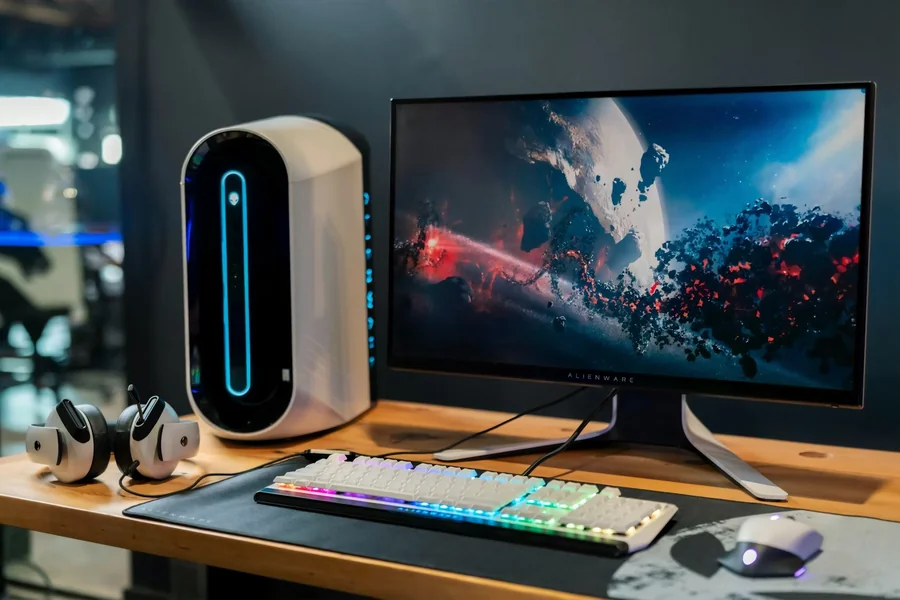

A monitor purchase looks easy until the spec sheet starts shouting. One model leads with 240Hz, another pushes “1ms,” a third promises HDR, and suddenly a simple upgrade turns into a guessing game. The most useful way to choose is to stop chasing the biggest number and focus on what will be noticed every day: motion clarity, consistency, and comfort.
A lot of buying decisions get influenced by the same recommendation systems that power gaming clips and tech threads. A keyword like x3bet online casino can show up next to monitor advice because algorithms bundle “gaming performance” topics together, even when the overlap is only vibe. That mix can trick the brain into thinking every spec needs to be maxed for “competitive” use. In reality, the best monitor is the one that matches the actual routine and the actual hardware.
Start with the real use case, not the loudest spec
Competitive shooters reward smooth motion and low latency. Creative work and study benefit more from sharp text, accurate color, and comfortable brightness. Story games and movies often feel better with strong contrast and decent HDR behavior. One monitor can handle multiple roles, but every choice is a trade.
A practical starting point is deciding which experience matters most. Smoothness? Clarity? Deep blacks? That answer should guide every other spec.
Refresh rate: Hz is real, but it needs matching FPS
Refresh rate is how many times per second the monitor updates the image. Higher refresh rates can look smoother and feel more responsive. The biggest jump in “feel” usually happens when moving from 60Hz to 120Hz or 144Hz. Beyond that, improvements can still exist, but the returns shrink.
Refresh rate also depends on what the PC or console can deliver. A 240Hz monitor cannot feel like 240Hz if the system outputs 90 to 120 FPS in most games. In that situation, stable frame pacing and variable refresh rate can matter more than the top Hz number.
Response time: the most abused marketing number
Response time describes how quickly pixels change. Poor response behavior creates ghosting or smearing, especially in dark scenes. The problem is that many monitors advertise a best case number measured under aggressive settings. Those same settings can create overshoot, where bright halos appear around moving objects.
Instead of trusting the label, the goal should be simple: does motion look clean at the chosen refresh rate without distracting trails. A “slower on paper” monitor can look better in real use if tuning is balanced.
Panel type: the part that shapes the picture every day
Panel type changes the personality of the display.
IPS is often chosen for strong viewing angles and stable color. VA is known for higher contrast and deeper blacks, which can look great in darker games and movies. TN appears less often now, but it can still exist in speed-focused models, usually with weaker viewing angles and color.
Panel choice should match priorities. For bright rooms and mixed use, IPS can feel safer. For darker rooms and cinematic use, VA can feel richer. For pure competitive focus, motion handling and latency often matter more than perfect color.
Resolution and size: clarity vs performance vs comfort
Resolution affects sharpness and workspace. Higher resolution looks cleaner, but it demands more GPU power. For many setups, 1440p is a strong middle ground: sharper than 1080p without the full cost of 4K. Screen size matters too. A larger screen at low resolution can look soft. A smaller screen at high resolution can be sharp but can make UI tiny.
Comfort matters. A monitor can be “good” and still feel wrong if text looks too small, brightness is harsh, or the setup forces awkward posture.
Quick spec priorities that usually make sense
- Competitive gaming focus: high refresh rate, low input lag, clean motion tuning
- Mixed gaming and work: 1440p sharpness, comfortable size, good viewing angles
- Movie and story game focus: strong contrast, solid black performance, usable HDR
- Content creation: reliable color modes, consistent brightness, wide viewing angles
- Console-first setup: correct ports and supported refresh features, good scaling
Variable refresh rate: a quiet feature that improves smoothness
Variable refresh rate helps when FPS fluctuates. It reduces tearing and smooths frame pacing, which can make games feel better even without higher average FPS. For many people, variable refresh rate produces a bigger quality improvement than chasing extreme refresh rates.
HDR: useful when it is real, disappointing when it is just a label
HDR can look great when a monitor has the brightness and contrast control to support it. On many cheaper displays, “HDR” exists as a checkbox but does not deliver strong highlights or deep blacks. In those cases, SDR with good contrast and accurate tuning can look better.
The simple buying process that avoids regret
A clean decision process prevents getting trapped by marketing.
First, match the refresh rate to realistic FPS targets. Second, pick a panel type that fits the room and usage. Third, choose resolution based on GPU power and viewing distance. Then check comfort features: stand adjustability, eye comfort modes, and brightness control.
A pre-buy checklist that keeps choices grounded
- Refresh rate matches typical FPS in favorite games
- Variable refresh rate support is present and compatible
- Panel type fits the room: IPS for angles, VA for contrast
- Resolution fits the GPU budget and viewing distance
- Response tuning looks clean without heavy ghosting or overshoot
- Stand and ergonomics support long sessions comfortably
The takeaway
The best monitor is not the one with the most impressive box. It is the one that makes daily use feel smooth, clear, and comfortable. Refresh rate matters, but only with matching performance. Response time matters, but only as real motion clarity. Panel type matters because it shapes contrast and color every time the screen turns on. Choosing around real habits beats choosing around hype, every time.